Product Updates
Finding vulnerabilities is only the first step in securing a mobile application.
The real work begins during triage: understanding the issue, evaluating the risk, and guiding developers on how to fix it.
Security teams often spend significant time answering questions like:
what the vulnerability actually means
how serious it is in a real attack scenario
how to explain the risk internally
how developers should fix it
This triage process often requires manual research, internal discussions, and additional validation.
Oversecured reports now answer all these questions immediately.
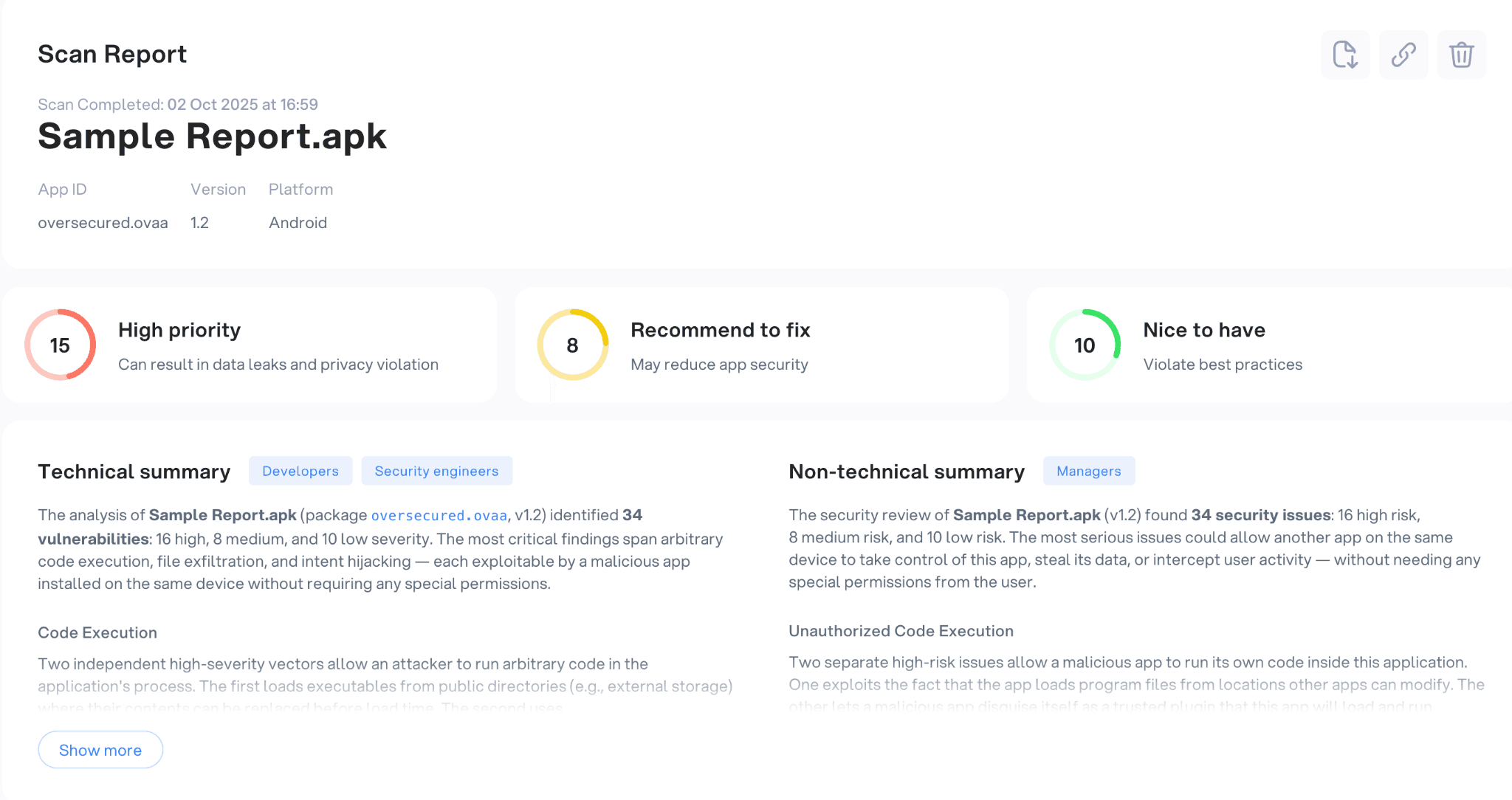
At the top of each report, teams now see a structured overview of the application’s security posture, including:
the high-priority vulnerability
issues recommended to prioritize fixing
how attackers can use these vulnerabilities
Instead of manually reviewing each finding to understand the overall risk, engineers can immediately see where attention is required.
But the overview goes even further.
Each report now includes two automatically generated summaries that help teams understand the results faster.
Technical summary
The technical summary explains the main security weaknesses detected in the application.
Instead of listing vulnerabilities one by one, the report highlights the patterns behind the findings, for example, insecure component exposure, unsafe WebView usage, or data leakage risks.
This allows security engineers to quickly understand what types of security problems exist in the app, without having to analyze every vulnerability individually.
Non-technical summary
Security managers often need to explain scan results to:
engineers
product teams
risk and compliance teams
leadership
The non-technical summary translates the technical findings into business-level risk explanations. It describes what the vulnerabilities mean for the application, what data could be exposed, and how attackers might abuse the weaknesses.
Instead of preparing separate explanations or presentations, teams can now share the report directly with stakeholders.
Understanding vulnerabilities immediately
After reviewing the overall security posture, engineers move to the next step: investigating individual vulnerabilities.
This is often where the most time is lost.
A typical workflow looks like this:
Open a vulnerability finding
Try to understand what the vulnerability actually means
Search for documentation about the vulnerability category
Reconstruct how the attack might work
Figure out what developers need to change
The updated vulnerability view removes much of that interpretation work.
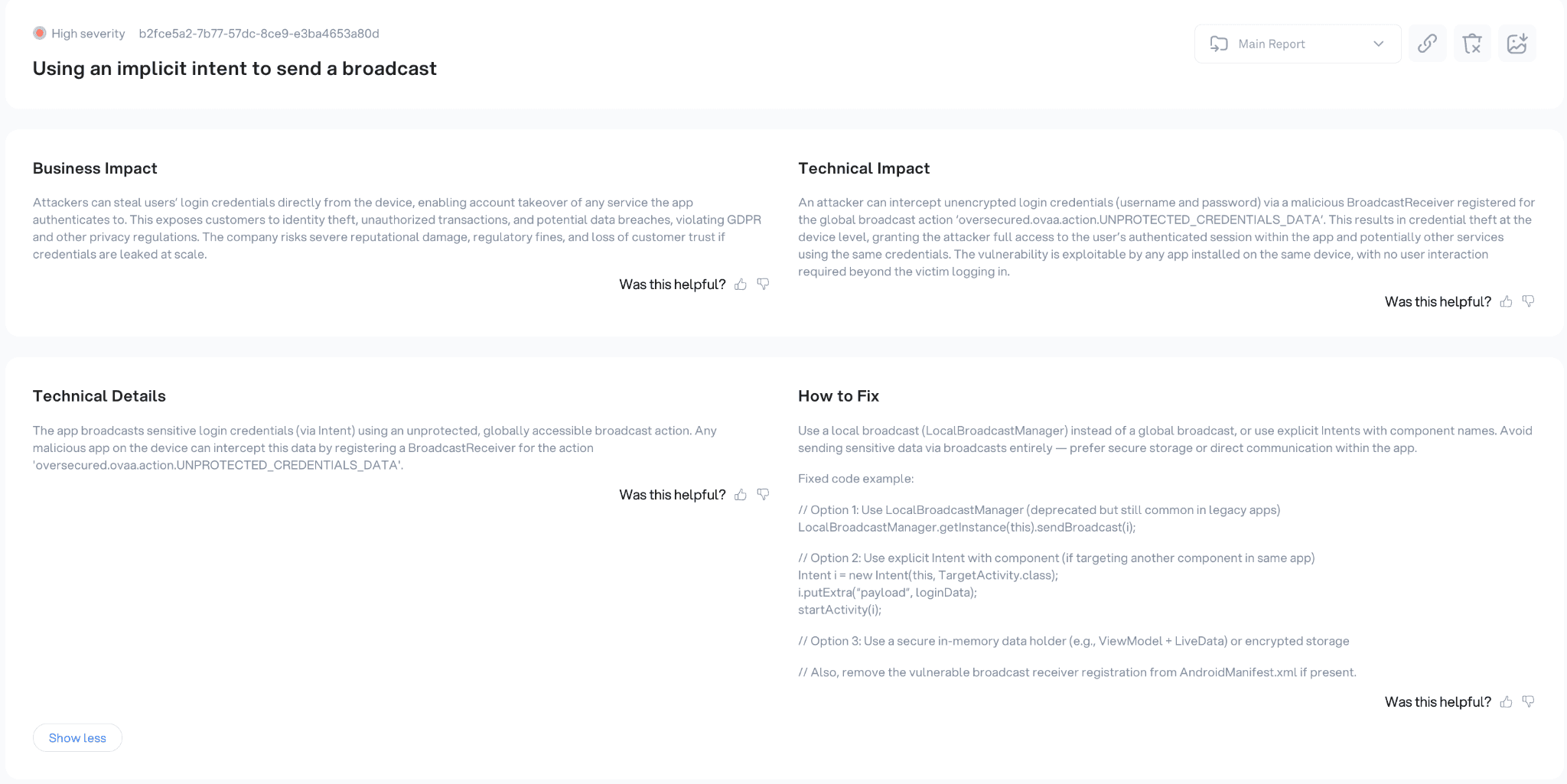
Each vulnerability now includes structured explanations and remediation guidance, organized into several sections.
Vulnerability description
The vulnerability description explains what the issue is and why it exists in the application.
Instead of relying only on a vulnerability title, engineers see a clear explanation of the underlying security problem and the conditions that allow it to occur.
This helps teams quickly understand the root cause of the vulnerability.
Attack scenario and impact
The report also describes how the vulnerability could be exploited in practice.
It outlines the possible attack scenario, including:
attacker capabilities
possible attack vectors
how the vulnerability can be triggered
what data or system components may be affected
By describing the exploitation path, the report makes the security impact immediately clear.
Engineers no longer need to translate a vulnerability title into a real attack scenario.
Remediation guidance
Once the vulnerability is understood, the next step is fixing it.
Each finding now includes clear remediation instructions designed for developers.
Instead of generic recommendations, the report provides concrete guidance, such as:
configuration changes
secure API usage patterns
input validation improvements
restrictions on unsafe functionality
When applicable, the report also includes code examples that demonstrate how the issue can be fixed.
This helps developers move directly from understanding the vulnerability to implementing the fix.
Supporting technical details
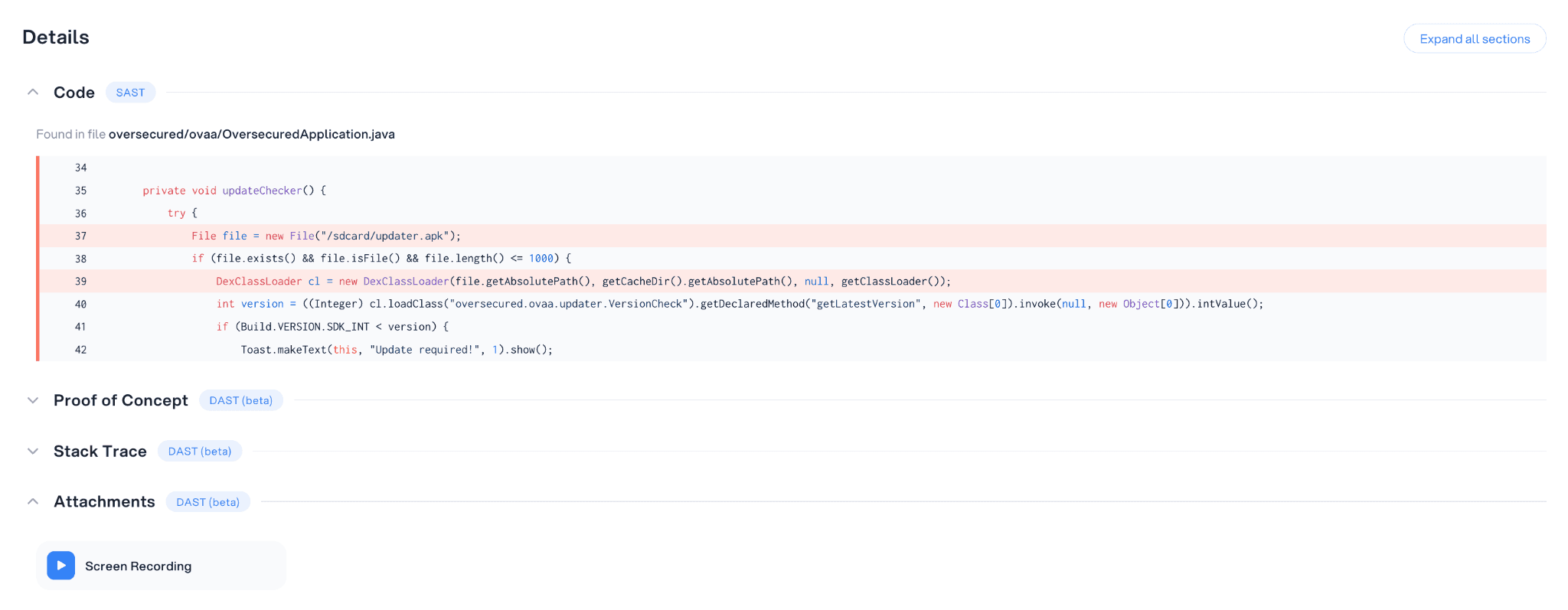
For deeper investigation, the vulnerability report also includes technical data such as:
snaps of the vulnerable code
stack traces
proof-of-concept (an exploit)
screencasts of a device
links to relevant documentation
This allows engineers to reproduce the vulnerability and verify the remediation.
One report for engineers and decision makers
Security reports often need to serve very different audiences.
Engineers need detailed technical information to fix vulnerabilities.
Leadership needs to understand the business risk.
The updated Oversecured reports combine both.
High-level summaries explain the overall security posture of the application, while detailed vulnerability views provide everything engineers need to investigate and remediate individual issues.
Instead of preparing multiple documents, teams can rely on a single report that works for both technical and non-technical audiences.
Less time analyzing vulnerabilities, faster remediation
The goal of this update is simple: reduce the time required to move from scan results to remediation.
With clearer report summaries and structured vulnerability explanations, security teams can immediately see:
what vulnerabilities exist
how they can be exploited
what impact they have
how to fix them
Instead of spending time interpreting findings, engineers can focus on fixing the issues that matter most.